Workflow & Research in Group Projects
WHAT TASKS I GRAVITATE TOWARDS
I am usually not satisfied with sitting down and completing my work and heading home every day. If it is within my power, and skill-set, I want to first make sure that the work I am doing will be incorporated in a proper product. And as such, for the small projects we do here at TheGameAssembly, I tend to search around and see what I can do to help us get a clear picture of what we are doing. And making sure our pipelines fulfill the requirements needed of the project, and can be worked with by us, the developers.
PROTOTYPE & WORKFLOW
For our first project, we made a Diablo-like. Oh, and we also had to create our own custom game engine from scratch, no biggie. Naturally, this would mean that game-play would be delayed massively for this project. But I wanted to get something workable quickly, so we can test our ideas and make sure that the few pieces we are taking from Diablo would fit together well. So I quickly threw together a prototype inside Unreal Engine 5, this allowed us to realize some decisions were dumb, and we could iterate before we even could load in a static mesh through our proper work pipeline.

I then wandered around the different disciplines and talked with them about their work pipelines, where there were still things not set in stone. I helped with deciding what to use for this project, and where I foresaw problems incoming I suggested solutions and set them up. A specific example would be that Level Design and Graphics had no clear idea how they would work once models had been finished and it was time for decorating. So I introduced the “Levels” feature in Unreal and taught them how to work with it, so that Level Design can continue tweaking game-play and Graphics can decorate the same levels. To help with decorating there was a request for a tool to place objects along a spline, so I created a tool that could do just that, and included some neat extras. Like ground snapping & aligning all the objects, as well as randomization to get some life into the placements.
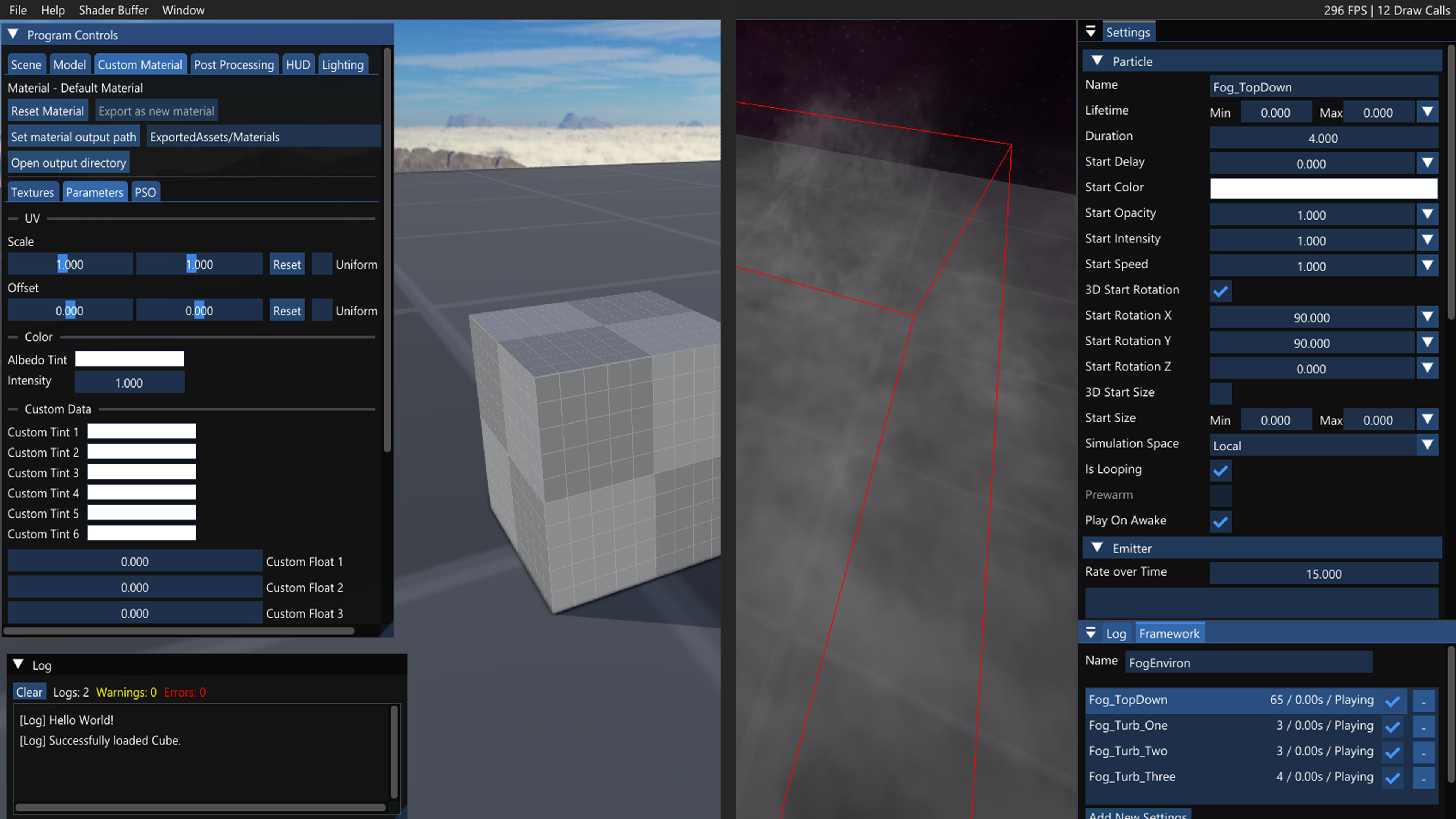
And finally, we had the work pipeline for me and my fellow Technical Artist Malte Ekvall in these projects. When we had finally had some lessons in VFX & HLSL shaders, I started a conversation with the Programmers, I learned what work they had made the previous school year. Found out they had a way to preview material work in a custom Model Viewer program, and asked if we could slap on some features to read HLSL files and save them out as material files that our custom R.O.S.E. Engine can handle. In the end we had something working, but there were a few too many steps for it to be intuitive, so I documented the steps. I then did the same thing for the next game project, where we finally got to set up a proper particle editor.
Programmer responsible for the Modelviewer: Axel Franzén: https://axelfranzen.com/
Programmer responsible for the Particle Editor: Tobias Garpenhall: https://www.tobiasgarpenhall.com/

For our latest project we also had some fancy ideas about how to really elevate the core game-play. When we had a clear idea about the end result we wanted, which was for a dynamic shader on enemies that can reflect the damage they take in game-play, using Render Targets. I researched how one would do it in Unreal Engine 5, so I could describe every step and talk with the Programmers in detail about what features our R.O.S.E. Engine would need. While the engine parts I needed were worked on I re-created the individual parts in HLSL, like this fancy live UV Un-wrapper shown below.

VFX WITHIN LIMITATIONS
So, now that all the groundwork has been put into place, did I end up actually doing anything for the projects? yes, yes I did. I enjoy finding solutions, so I became the main guy for when we needed User Interface Shaders that would react based on different game states. So I would prototype a shader and then request some different variables I needed access to in a gameplay buffer. I tried to keep the HLSL file re-usable so I only had to save out the material with different textures and custom integers & colours.


For the actual in game visual effects we decided to rely a whole lot on flip-books, with custom fade in/out curves. This is because our first project was a Diablo clone, and very heavy on the amount of visual effects that we felt were needed, and we could quickly create and iterate with a "certain" program we had access to. We did want some more depth than what flip-books on a plane could give us, our angle of tackling this was to make custom static meshes for the effects that we wanted to pop more.

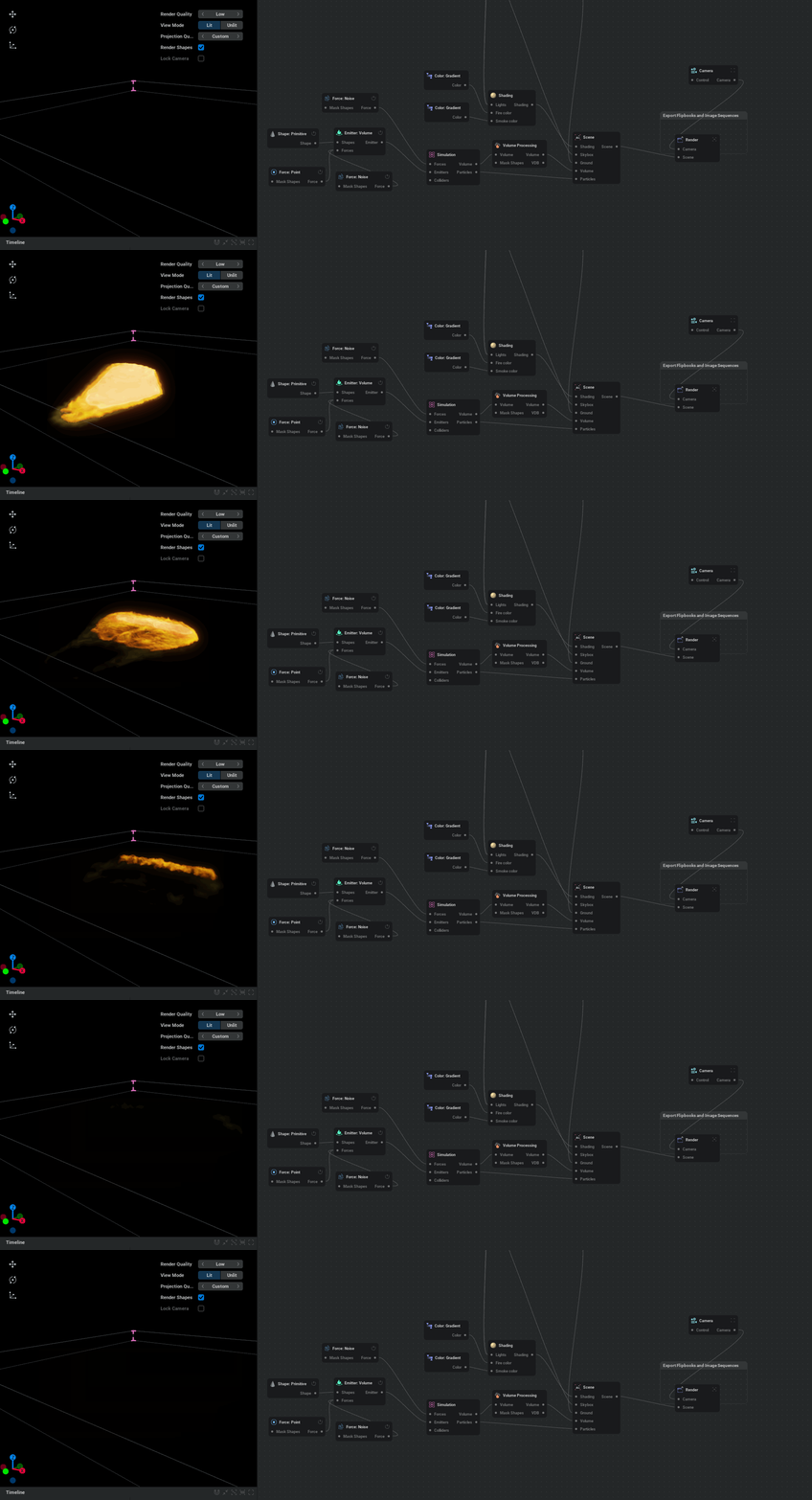
The certain program we dived into is EmberGen, what a hot program that is. It was easy to get into, as just opening every example project and poking around taught me a lot. And after getting comfortable being able to iterate and art direct the fires & smoke to what we needed feels so good. So if I ever saw the opportunity to use EmberGen I would be happy, anything from big fire-waves for the Diablo-clone to simulating gunshot fireballs for our horror game.

CONCLUSIONS
I am an organizer, a researcher and a game-play focused creator. I want to have direction, and I am more than happy to help with figuring out the way forwards. Learning is something I both love doing, and feel quite confident in my ability to do, so I will always accept excuses to dive into some new tech and try it out to see if it will fit into the project I'm working on.

“I am part of The Game Assembly’s internship program. As per the agreement between the Games Industry and The Game Assembly, neither student nor company may be in contact with one another regarding internships before April 23rd. Any internship offers can be made on May 5th, at the earliest.”